
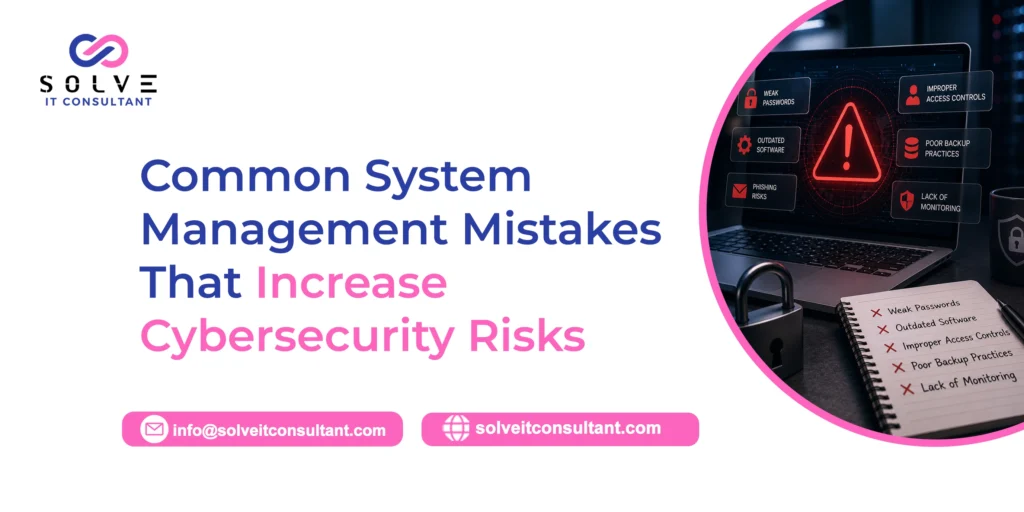
Keeping IT systems going now means protecting them from cyberattacks. Laptops, phones, software, user accounts, servers, and even network paths can be turned against you if they are not managed well. Many teams do the obvious things. They buy firewalls, install antivirus, and monitor alerts. Even with that, small failures happen. Those small gaps can be used by attackers.
Bad patching, loose sign-in rules, weak backup habits, and devices that no one tracks can all cause trouble. They can lead to exposed company data and make day-to-day work harder. When teams know the usual system management slip-ups, they can tighten their setup. That can cut down on security risks that could have been avoided.
What system management means and why it matters
System management is the day-to-day work of keeping an org’s IT in order. This includes computers, servers, networks, software, user accounts, apps, and other digital tools. Good system management helps keep things current, working, set up correctly, and protected.
Cybersecurity relies on this routine work. Security software will not catch every threat if key programs are left without updates. It also falls short when old staff accounts stay open. It fails when admins do not know what devices are on the network. For that reason, security is not only a tool choice. It is something teams must keep doing over time.
Common system management errors that raise risk
-
Waiting too long to install updates
Keeping system updates under control is often missed. Teams sometimes wait to install changes for the operating system, apps, firmware, and security tools. Fixes arrive when vendors find risky gaps, remove bugs, or improve protection. If updates sit on a backlog, a hole that was found and listed can stay exploitable for longer than it should.
Bad actors also look for devices with outdated software. Once a bug is public, it can turn into a way to get in. If you plan patches ahead of time, you can find which machines are impacted, rank what should be done first, test changes in a safe lab when you must, and then push updates out step by step.
-
Weak or shared login passwords
Password safety still matters a lot. Simple passwords, the same password used on different sites, and staff sharing admin access can speed up account takeovers. Attackers try these paths because they are easy to guess or reuse.
Set login rules that push users toward stronger passwords and remove the need for shared logins. Use multi-factor login as well. That means a second proof, not only the password. Pay extra attention to admin logins and other high-privilege accounts. If those are lost, the attacker may reach sensitive systems and private data.
-
Weak passwords and missing MFA
Poor password habits are a long-running IT flaw, and the harm can be big. When people reuse passwords or pick weak ones, attackers get an easy start. In credential stuffing, lists from past leaks are used again and again. The same username and password are tried on many other business tools. If one login works, the attacker often moves to other parts of the network because systems are linked.
: Use a password manager so each account gets a unique password. Turn on multi-factor authentication for every account that allows it. If you think a password was exposed, swap it out right away and review the account.
-
Not segmenting the network
Network segmentation is about splitting the IT setup into separate zones. This way, if something goes wrong in one zone, it does not automatically spread to the rest. Some small and medium firms run a flat setup. Workstations, servers, and other devices can talk to each other with few limits. It is fast to set up and easy to deal with day to day. Still, one infected laptop can spread malware across the whole company without barriers slowing it down.
-
Backups That Aren’t Checked
A backup that nobody tests is just a guess. A lot of teams assume that their cloud apps and nightly jobs will keep data safe. But backups only help when you can bring data back fast and with the right details. Attacks like ransomware make this show up early. Once systems are locked, the team finally finds out if the backup really works.
: Do restore tests every three months. Keep one copy off the network or set it to read-only. Write down the recovery targets so staff understand what a real restore should look like.
Check out our latest blog post on How Infrastructure Monitoring Improves Business Performance and Security
-
Shadow IT Gets a Free Pass
Shadow IT is any app, service, or device people use for work without IT approval. It often starts small. Someone adds a handy tool to finish a task sooner. Then it turns into something that no one watches. Since it is outside the official controls, it often misses patching, logging, and regular review during security checks.
: Keep a list of approved tools. Watch network traffic to spot software that is not allowed. Make it simple for employees to ask IT for new tools, without turning the process into a threat.
-
Security Work With No Named Owner
When no one is clearly in charge, tasks drift. People expect patching, backups, and access reviews to be handled by someone else. In practice, nothing gets done. This is an organizational issue more than a tech one. It also explains why the other problems in this list show up. If an incident hits and roles are not set, security groups describe the result as “running around with no plan.” You get stress, slow action, and errors that can worsen the impact.
Name one person as the owner for patching, access reviews, backup restore tests, and incident response. This matters even when the team is small and the same person handles many jobs.
Mini Case Study: A Patch Missed for Weeks
A logistics firm put off a key server patch for about six weeks. They said they had too few IT people and they worried about downtime during peak shipping. After that delay, attackers looked for that same gap. They got into the internal network and then moved to other systems because the network setup was flat. The fallout lasted three days, with operations paused and customers needing formal alerts. The recovery price was far higher than what the patchwork would have taken. The review did not find anything rare. It pointed to the usual system control gaps that build on one another.
Step-by-Step: Make a Simple Security Checklist for System Management
– List each system, account, and app. If you do not track it, you cannot protect it.
– Pick a patch timeline, then check on it every month.
– Review who has access. Remove anything that goes beyond the least needed rights.
– Turn on MFA and use password managers for all accounts.
– Split the network into clear zones like internal, guest, and sensitive data areas.
– Test backups by restoring in a real drill. Do not treat a report as proof.
– Write down named owners for each task on this list.
FAQ
- What is the main system management error that raises cybersecurity risk?
Delayed patching. Many incidents link back to a flaw that already had a fix, but the fix was not installed fast enough.
- How soon should patches be installed to reduce risk?
For critical security patches, plan to install them within a few days of release. Severe issues, aim for about 24 to 72 hours. For lower-priority work, use a steady monthly schedule.
- Are small businesses really at risk, or is this mainly for large firms?
Small businesses get hit a lot. That is partly because the same system management errors show up more often there. Attackers also know smaller teams may not have a full-time security person.
- What is the difference between a system management mistake and a cyberattack?
A system management mistake is something internal that leaves the door open, like an unpatched system or an account with too many permissions. A cyberattack is the outside move that takes advantage of that gap.
- How can we tell if shadow IT is happening in our org?
Use a scan for network devices and cloud apps. Many teams are shocked when they see unapproved apps, extra browser add-ons, or personal cloud storage connected to company data.
The Bottom Line
Most cybersecurity incidents don’t start with a sophisticated hacker—they start with a system management mistake that sat unaddressed for too long. Fixing patch delays, tightening access control, testing backups, and assigning clear ownership costs far less than recovering from a breach. If your organisation hasn’t reviewed these areas in the last quarter, that review is overdue.
Need help closing these gaps? Talk to Our IT or managed security provider about a system management audit this quarter—most of the fixes above take days, not months, to put in place.